DEVBYHASEEB / CASE STUDY
Smart Order Form & Google Sheets
Project by Haseeb Qureshi · AI-assisted order entry with confirmation, Google Sheets records and a shareable receipt.
The workflow to solve
Customers and vendors can provide full order details in a block of text. The team needs a reviewed, structured record and a reference that connects the submission to its spreadsheet entry.
What I built
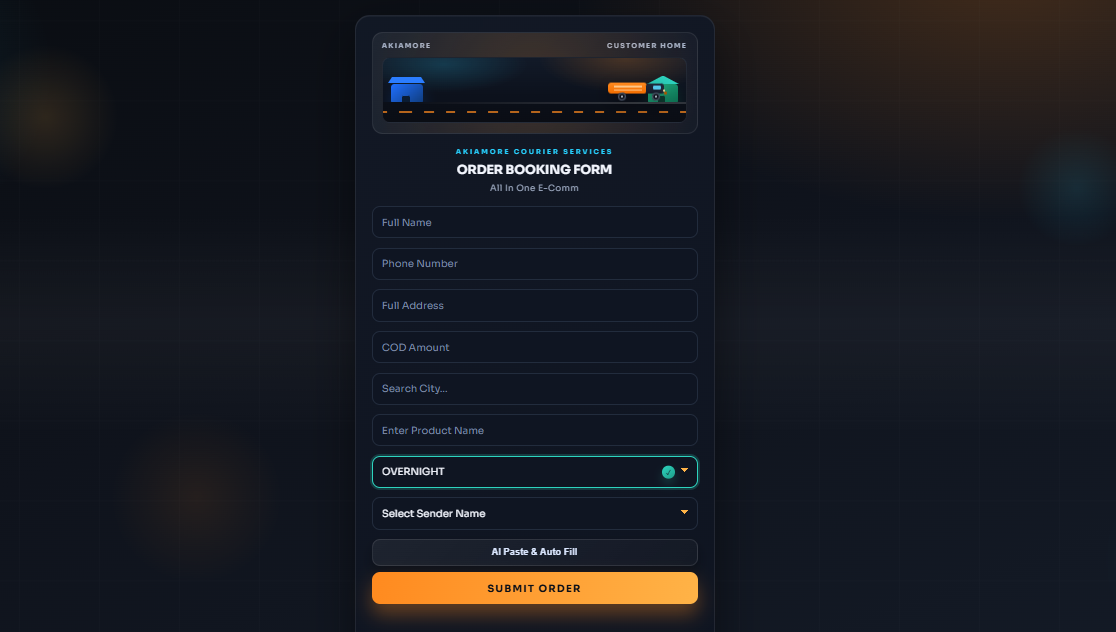
Paste the order details once. AI fills the form, you confirm the order, and the system saves it to Google Sheets with a unique Order ID and an automatic screenshot.
- AI Paste: Paste the full order details into AI Paste. The system automatically fills the matching form fields.
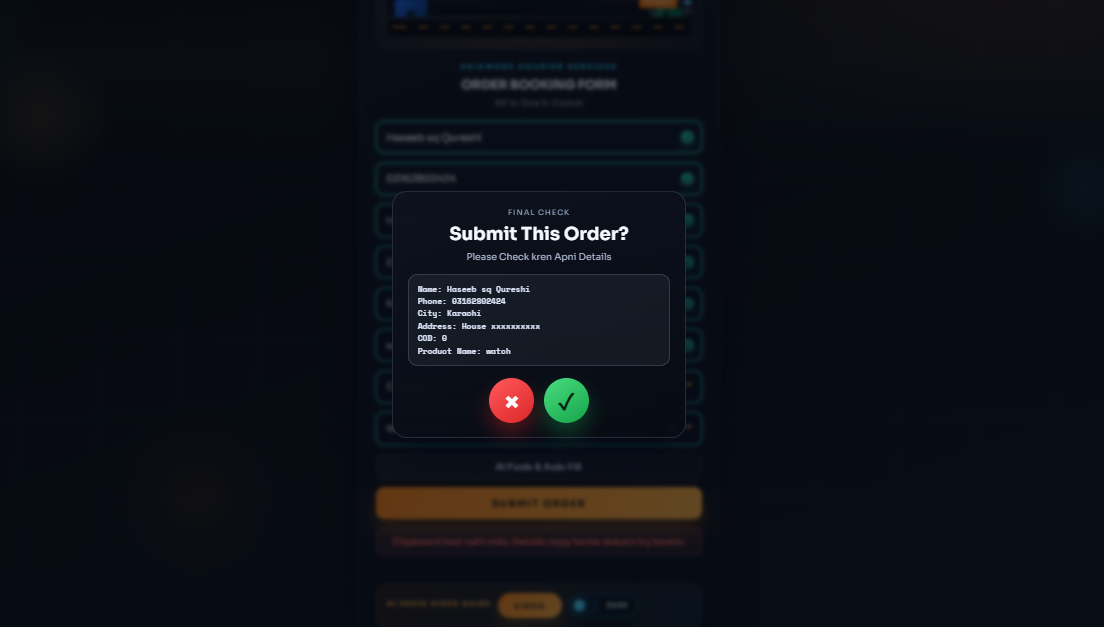
- Review and confirm: Click Submit to open a confirmation popup. Check the details and confirm before the order is submitted.
- Save to Google Sheets: The confirmed order is saved to Google Sheets with all its details and a unique Order ID.
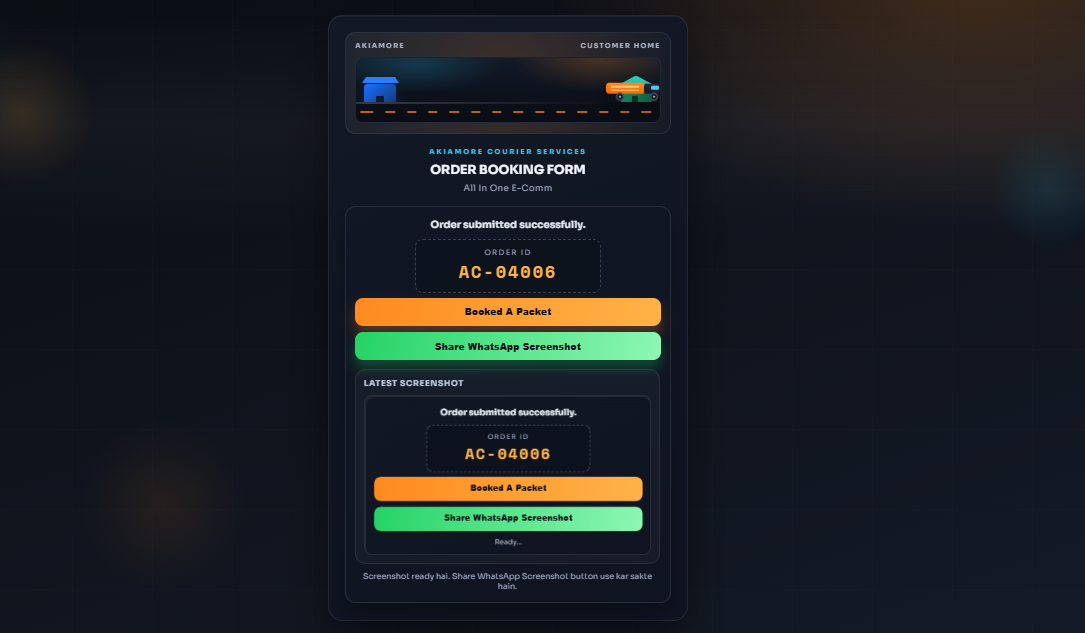
- Share proof of submission: A screenshot is generated automatically. The customer or vendor can send it to the team as proof that the form was submitted, with the Order ID linking it to the saved record.
Tools and implementation
AI field extraction, Google Sheets integration, unique Order IDs and automatic screenshot generation.
Combines AI field extraction, a confirmation popup, Google Sheets integration, unique Order IDs, and automatic screenshot generation in one order-booking workflow.
Inside the project
Watch the workflow
The demo starts muted. Use the player controls to adjust playback.
See the work and discuss your version
These are implemented features, not a promise of sales or time savings. For the full workflow, request a personal walkthrough or explore my google sheets automation service.